
Current medications
Keep an up-to-date list of the medicines each person is taking now — with schedule and timing — and mark them complete when a course ends.
Current Medications is the list of medicines a person is taking right now — the list a doctor or pharmacist usually asks for. It's different from Prescriptions, which is the history of everything a doctor has prescribed over time.
Add a medication
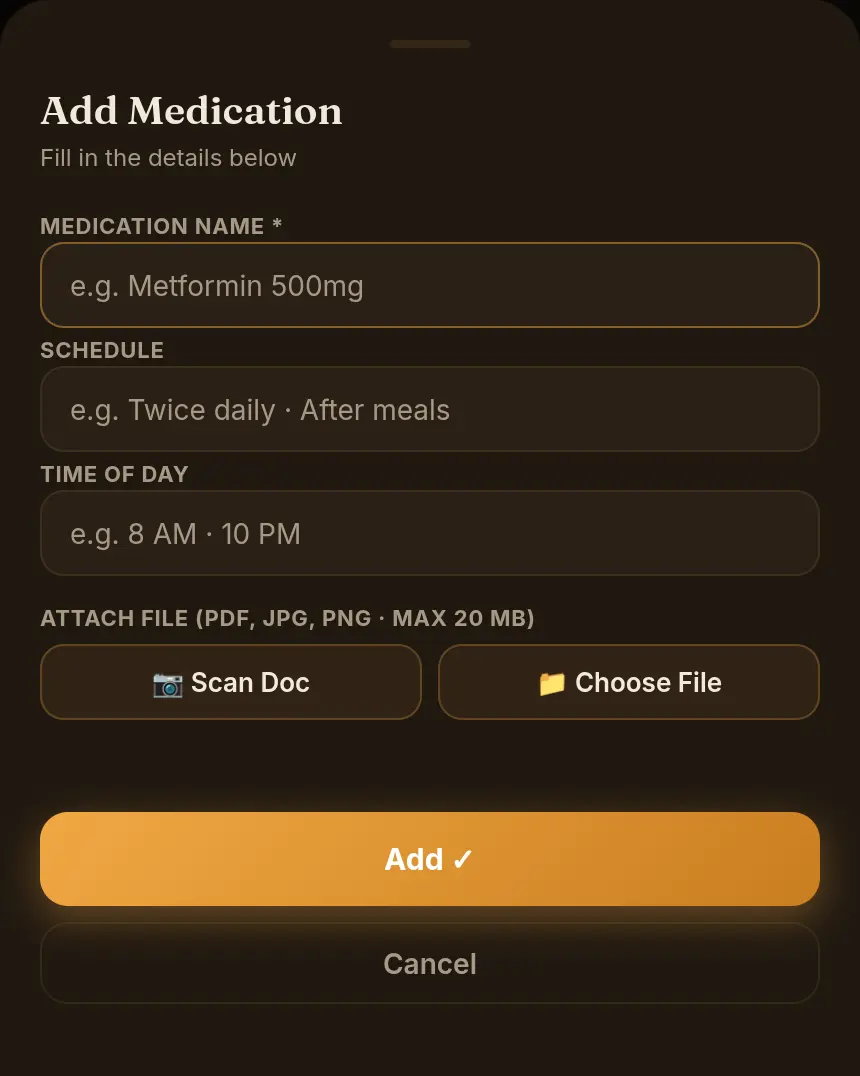
- Open the formOn Home, scroll to Current Medications and select the + next to the heading.
- Fill in the detailsEnter the Medication Name (required), e.g. Metformin 500 mg, the Schedule, e.g. Twice daily · After meals, and the Time of Day, e.g. 8 AM · 8 PM.
- Attach a file (optional)Use 📷 Scan Doc or 📁 Choose File to attach a photo of the strip or a PDF.
- SaveSelect Add ✓.
- Open Current MedicationsOn Home, tap Current Medications, then + at the top right.
- Name and strengthEnter the Medication name and choose a strength unit (mg, mcg, ml, g, IU).
- Schedule with one tapPick a Daily frequency (Once, Twice, Thrice, 4×/day, Bedtime, As needed) or a Periodic one (once a week, month or year), and the Food timing (before, with or after food, empty stomach). Add any extra instructions.
- SaveTap the save button at the bottom of the form.
Mark a course complete
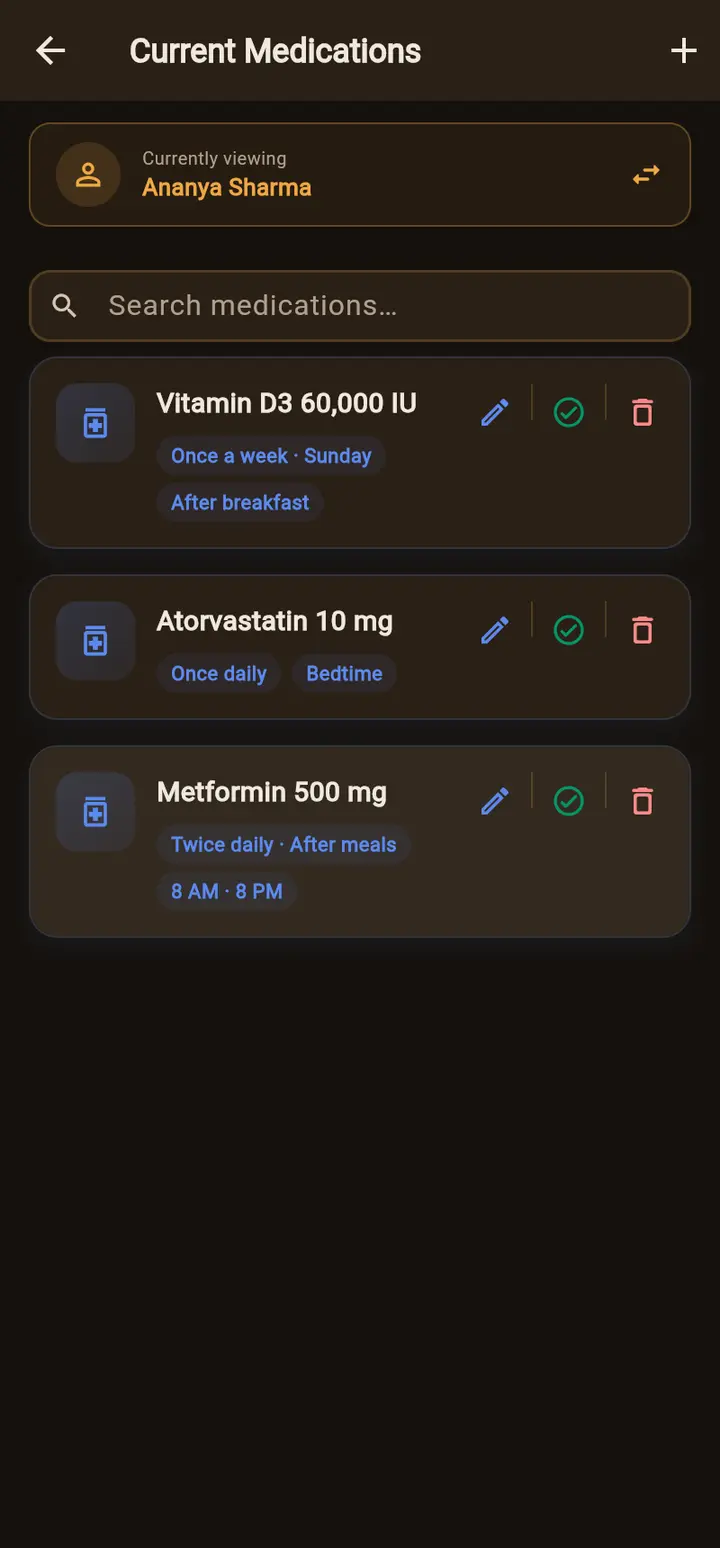
When someone finishes a course, mark it complete instead of deleting it. Select the ✓ (mark complete) button on the medicine. It leaves Current Medications but stays in the person's history, under the document it came from, and you can reactivate it from there if they start again.
Edit, move or delete
- Edit — the pencil button opens the same form with the current details.
- Move to another person (app) — in the edit form, tap Move to another member if the medicine was added for the wrong person.
- Delete — the bin button removes it completely, after you confirm. Use this for mistakes; use mark complete for finished courses.
Find a medicine
Type in Search medications… above the list to filter it as you type.
Adding a whole prescription? Upload it as a document and let AI auto-fill read the medicines for you — with Add to Current Medications on, they land here automatically.
Working offline (app)
If your phone has no connection, the app saves new medicines on the phone and shows Saved offline — will sync when connected. They upload automatically once you're back online.