
Plans, payments & invoices
The free trial, Basic and Pro plans, how to pay on the web or through Google Play, upgrading and renewing, and downloading GST invoices.
Plans
Every new account starts with a 7-day free trial of all features for up to 4 people. After that, choose a yearly plan:
| Basic | Pro | |
|---|---|---|
| People (members + dependents) | Up to 4 | Up to 6 |
| Storage for documents | 500 MB | 500 MB |
| Records, encrypted vault, timeline | Unlimited | Unlimited |
| Priority support & early access | — | ✓ |
Prices are per year, plus GST. The current prices are always shown on the plans page and at arogyakosha.in/pricing.
If your family has more than 4 people, choose Pro so nobody loses access when the trial ends.
Subscribe
- Open the plans pageSelect the subscription banner on Home, or ☰ → Subscription.
- Choose a planSelect Select Basic or Select Pro.
- Add a referral code (optional)If someone referred you with a referral code or flier, enter its 8-character code.
- Check the total and payThe summary shows the plan price, GST and the total payable. Select Pay & Subscribe and pay securely through Razorpay by card, UPI or net banking.
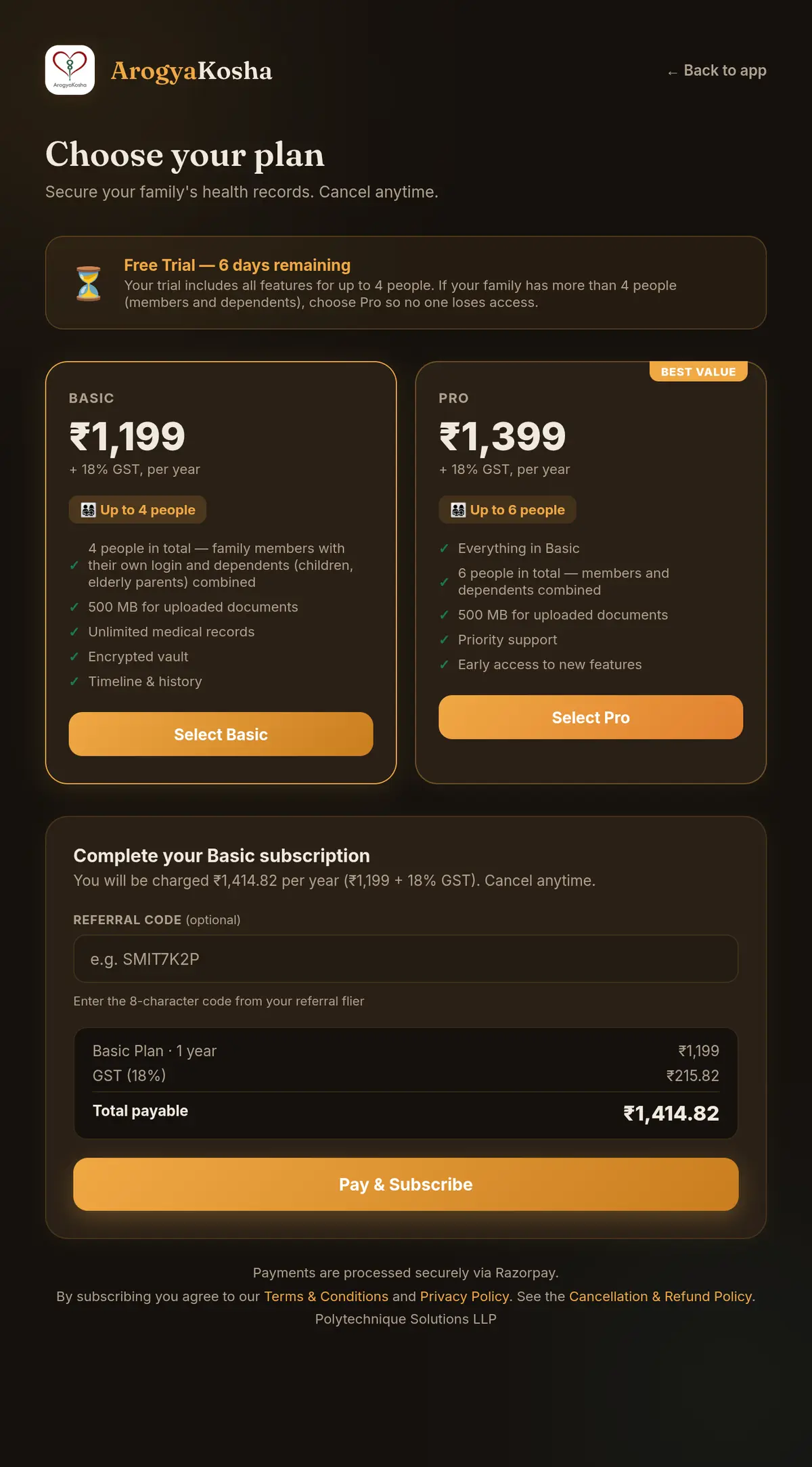
A plan bought on the web lasts one year and does not renew automatically. We remind you before it ends.
- Open the plansTap Subscribe on the plan banner on Home or Profile.
- Choose a planTap Subscribe on Basic or Pro and confirm the purchase with Google Play.
Plans bought in the app are billed by Google Play and renew automatically every year until you cancel. Changed phones? Tap Restore on the plans screen to restore a purchase.
Upgrade, renew or cancel
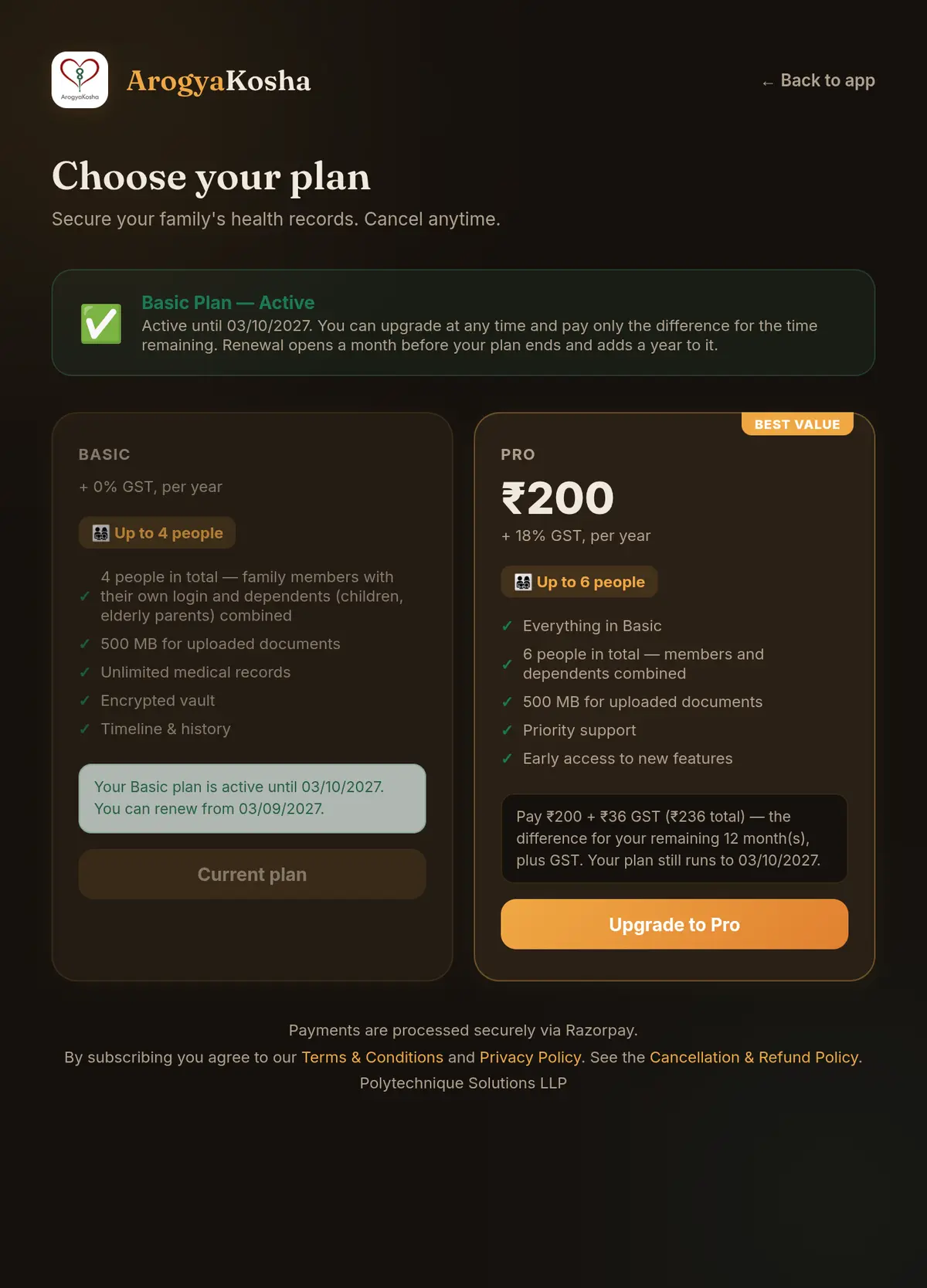
- Upgrade from Basic to Pro (web) — on the plans page, select Upgrade to Pro. You pay only the difference for the months left on your plan, and the end date stays the same.
- Renew (web) — renewal opens a month before your plan ends. Renewing adds a full year to the current end date, so you don't lose any days.
- Cancel on Android — Google Play subscriptions are managed in Google Play: open the Play Store app → your profile icon → Payments & subscriptions → Subscriptions → ArogyaKosha.
See the Cancellation & Refund Policy for refunds.
Payment history & GST invoices
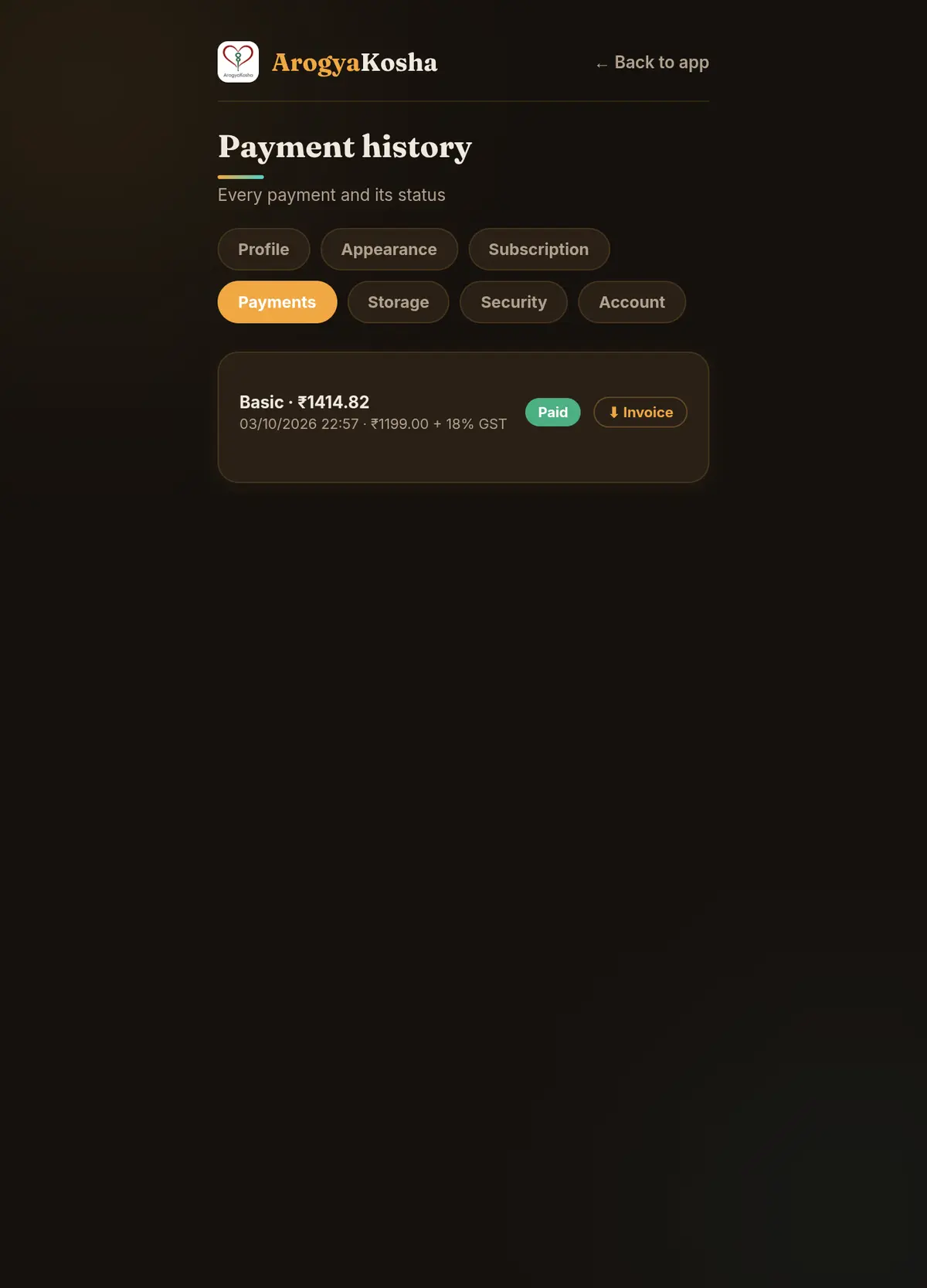
Every successful payment comes with a GST tax invoice.
Go to Profile → Payments (or ☰ → Payment history). Each payment shows its plan, amount, date, GST and status. Select ⬇ Invoice to download the PDF.
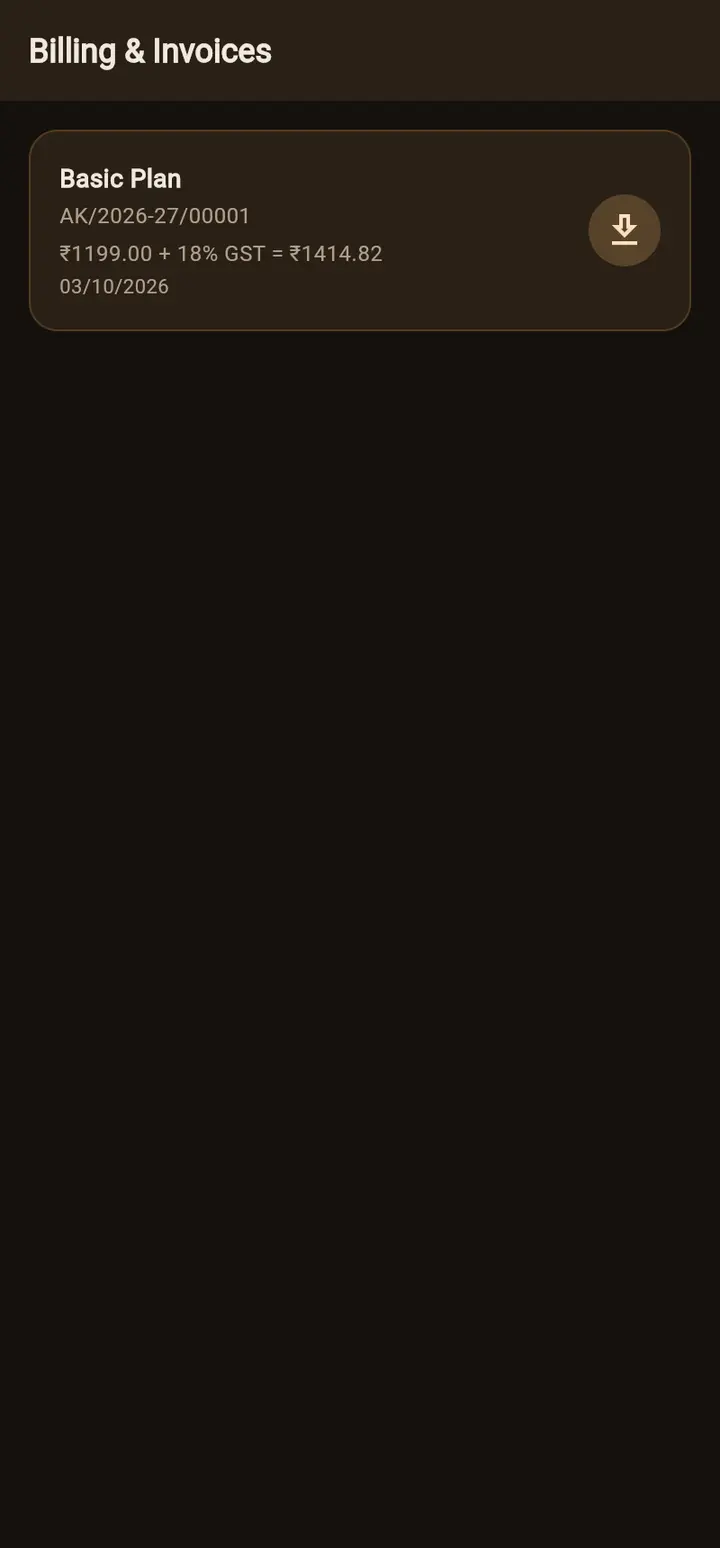
Go to Profile → Billing & Invoices. Tap the download icon on an invoice to save or share the PDF.
When a plan or trial ends
Your records are kept safe — nothing is deleted. Until you renew:
- Web portal — you're taken to the plans page when you open ArogyaKosha.
- Android app — your records are read-only. You can view and export them, but add, edit and delete are switched off, and a Subscription ended banner offers Renew.