
Prescriptions
A complete history of every medicine a doctor has prescribed — who prescribed it, how much, and whether the course is still running.
Prescriptions is the long-term history of what doctors have prescribed. Each entry records the medicine, the prescribing doctor, the number of tablets, the schedule and the date. Add an end date and ArogyaKosha tracks whether the course is still running.
Open Prescriptions
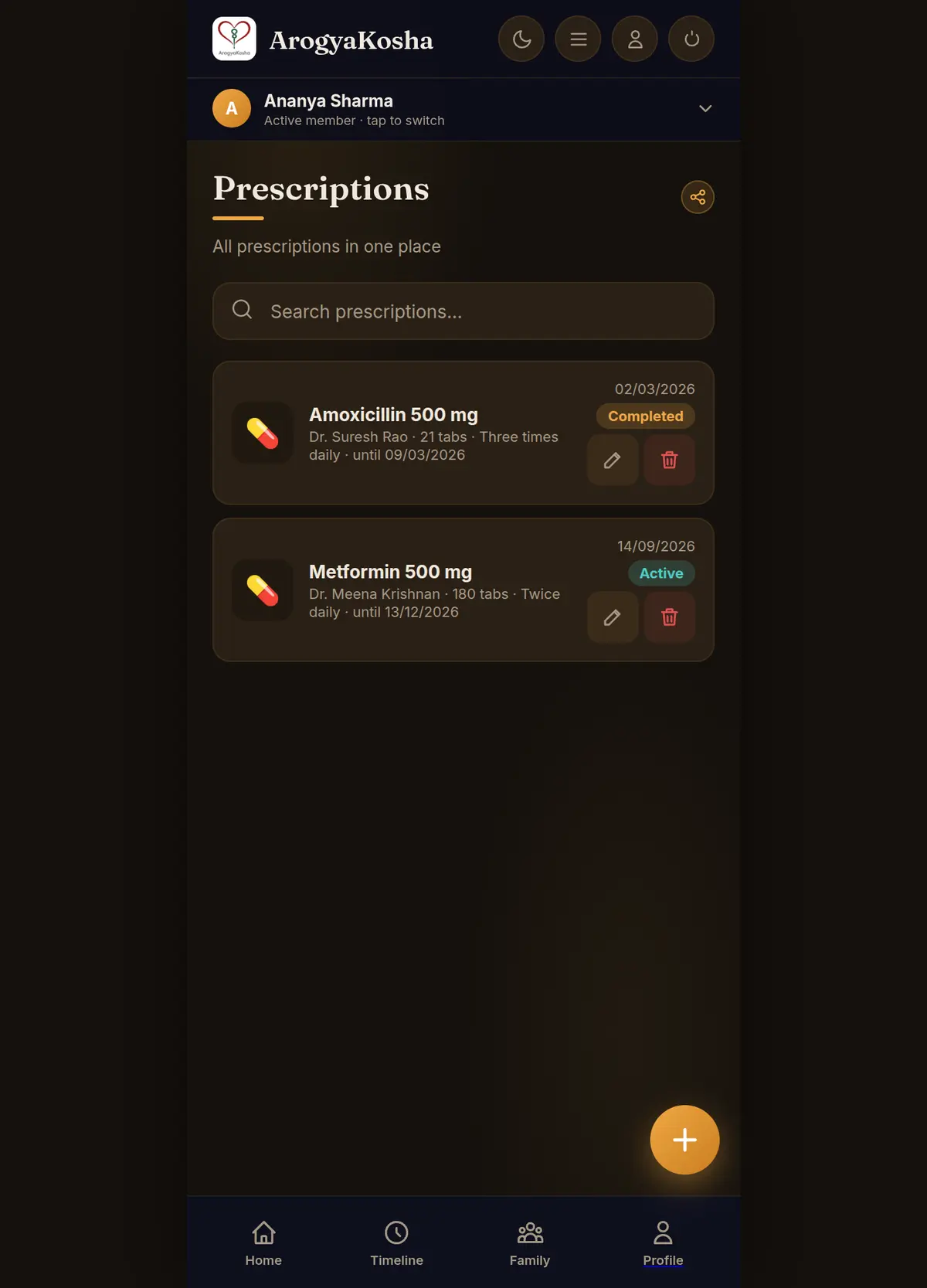
On Home, select the Rx Active number in the quick stats. Each prescription shows the doctor, tablets and schedule, the date, and a status badge. Use Search prescriptions… to filter, and the share icon at the top to send the list (see Share & export).
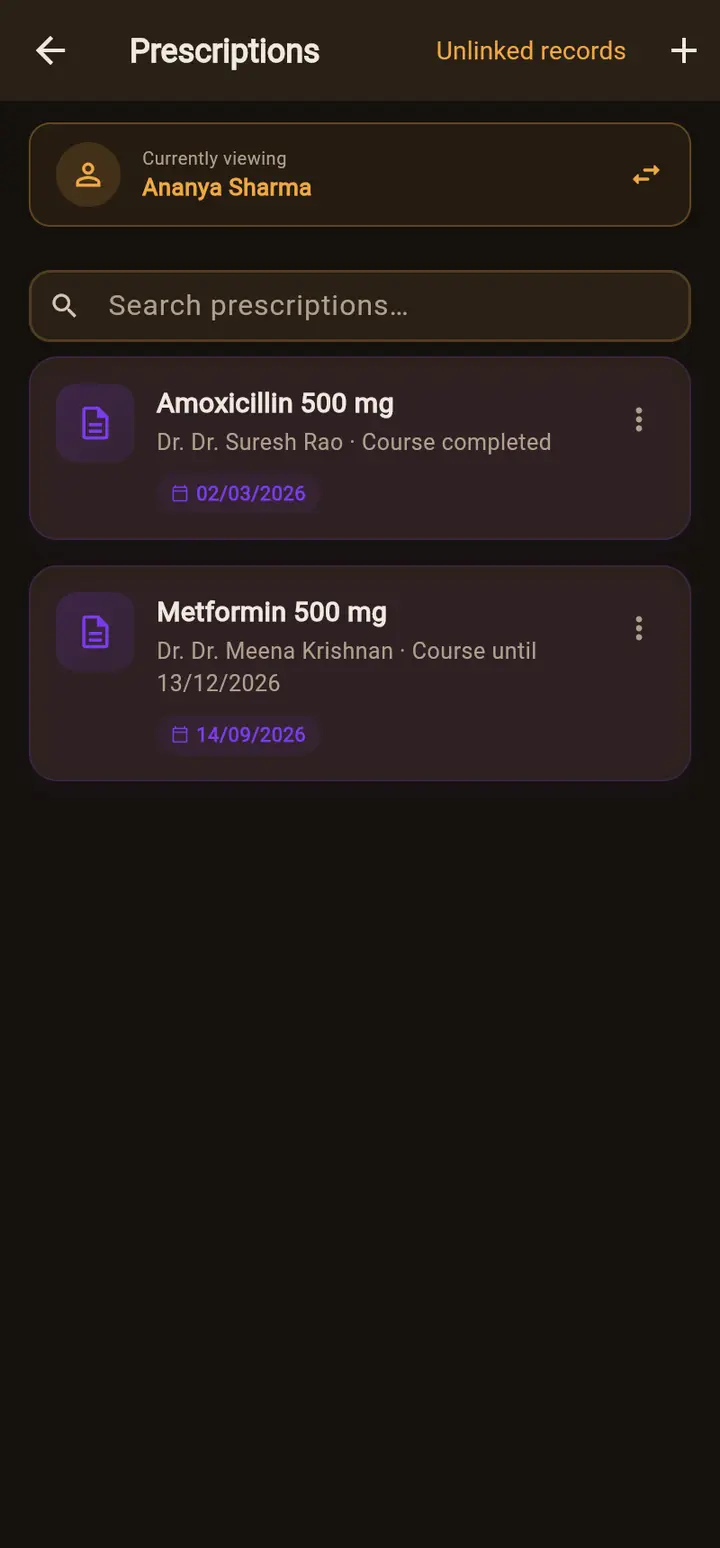
Open Timeline, tap any prescription and choose View All Prescriptions — or find one with Search. Tap a prescription to see its visit details, with the diagnoses and admission notes from that visit. Use the ⋮ menu on a card to edit, share or delete it.
Add a prescription
The quickest way is to upload the prescription as a document and let AI auto-fill read it. To type one in:
- Open the formSelect the + button on the Prescriptions screen.
- Enter the medicineType the medicine name (required) and the doctor. Optionally add the number of Tablets (0–9999) and a Schedule, such as Twice daily.
- Set the datesChoose the date it was prescribed. Add a Course ends date for a fixed course, or leave it empty for an ongoing prescription.
- SaveOn the web you can also attach a photo or PDF before saving.
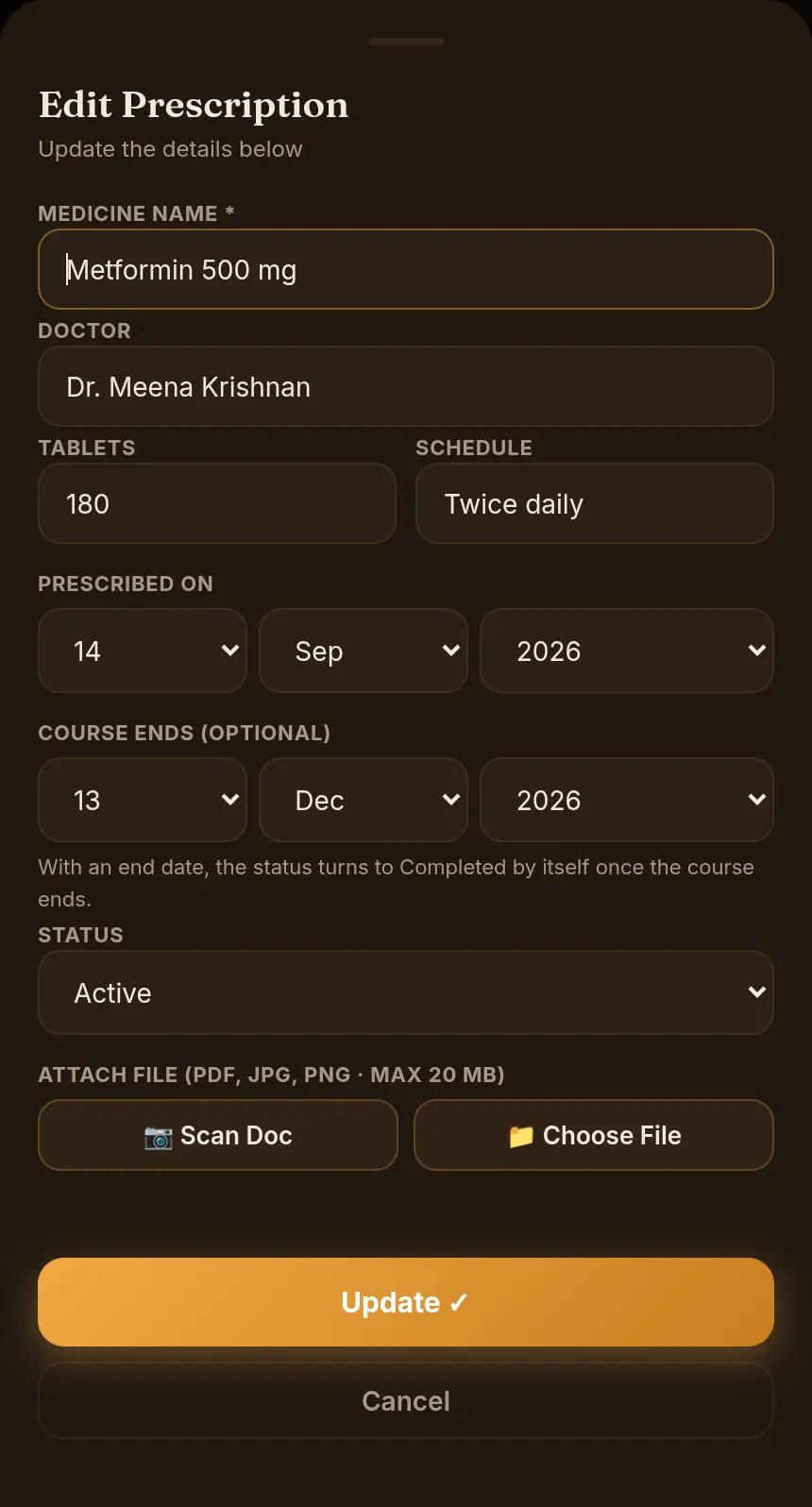
Status: Active, Completed, Discontinued
| Status | Meaning |
|---|---|
| Active | The course is still running — counted in Rx Active on Home. |
| Completed | Set automatically the day after the course end date passes. You don't need to update it yourself. |
| Discontinued | Stopped early on a doctor's advice. Choose it from the Status list (web) when editing. |
Prescriptions vs Current Medications
A prescription is a record of what was prescribed at a visit. Current Medications is what someone takes today, including over-the-counter medicines. A long-term medicine often belongs in both: the original prescription for the history, and a current medication for the day-to-day list.
Records not attached to a visit (app)
In the app, Unlinked records at the top of Prescriptions opens Medical Records, where admissions and diagnoses that weren't recorded as part of a visit are listed.